Category: homeautomation

  • Custom Home Lab Racks: Build Your Personalized 10-Inch Setup

    Custom Home Lab Racks: Build Your Personalized 10-Inch Setup

    Embrace the DIY spirit and infuse personality into your tech space with compact server racks and 3D printed components.

    Custom Home Lab Racks: Build Your Personalized 10-Inch Setup

    Embrace the DIY spirit and infuse personality into your tech space with compact server racks and 3D printed components.

    The digital world often demands a physical presence, leading many enthusiasts to build a home lab. Yet, the traditional image of a server rack can conjure thoughts of bulky, industrial equipment taking up significant space. What if you could blend powerful computing with a personalized, compact design? This guide explores the exciting world of custom home lab racks, focusing on 10-inch setups that combine efficiency, aesthetics, and the satisfaction of DIY. We’ll delve into how to construct a robust home lab, from processing power to storage, all while injecting your unique style, perhaps even with a splash of unexpected color like pink.

    The Allure of 10-Inch Server Rack Setups

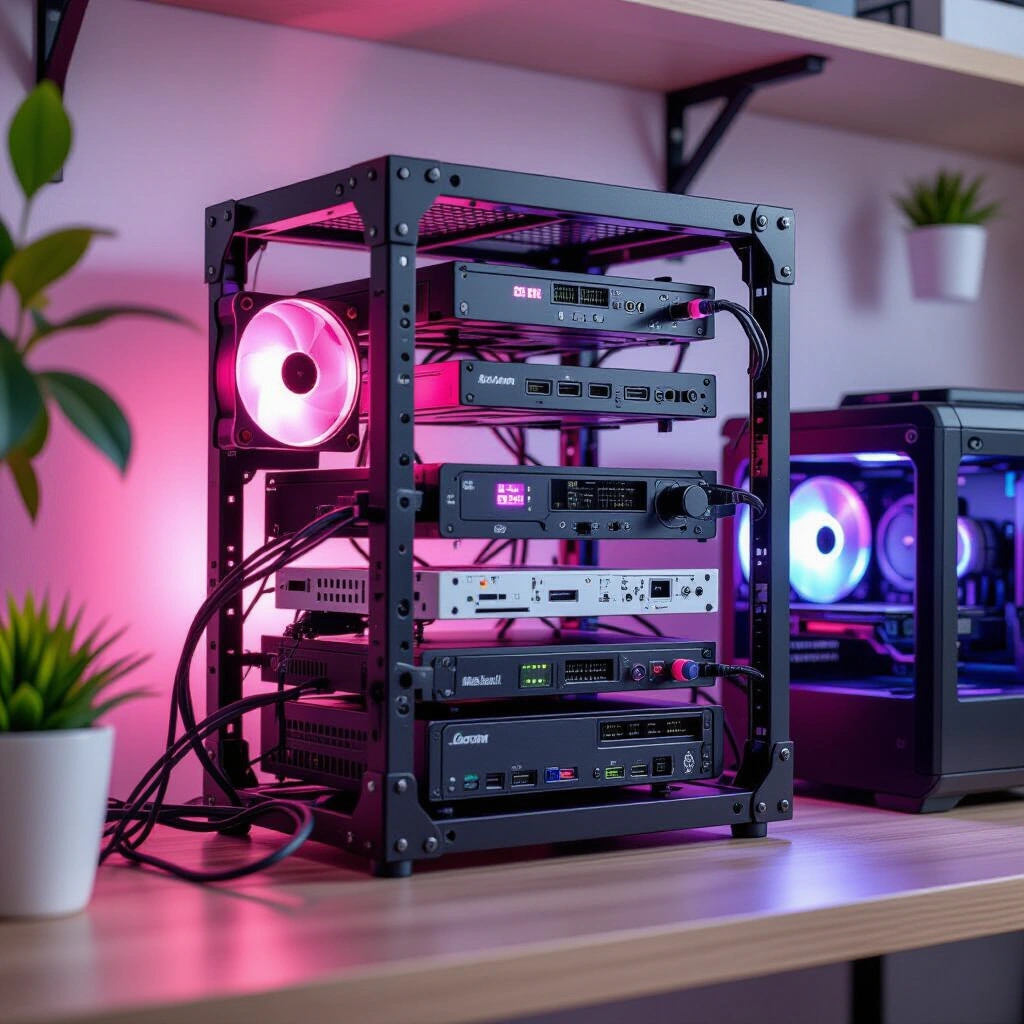
    For many home lab enthusiasts, space is a premium. This is where the appeal of 10-inch server racks truly shines. Unlike their larger 19-inch counterparts, 10-inch racks offer a compact footprint, making them ideal for offices, closets, or even under desks. They provide a structured way to organize mini PCs, network switches, and other components without sacrificing functionality. Moreover, this modularity allows for tidy cable management and efficient airflow, crucial for keeping your gear running smoothly.

    A brilliant example of community-driven design in this space is the “LabRax” system, conceptualized by YouTuber Michael Klements’ YouTube channel. His innovative designs provide a foundation for building custom, compact setups using readily available 3D printing technology. Before you dive in, consider your available space and the number of devices you plan to house. A well-thought-out plan ensures your 10-inch rack meets both your current and future needs, preventing clutter and optimizing performance. Choosing the right rack size upfront is a critical first step in any compact home lab endeavor.

    Building Your Compute Core: Powering Your Home Lab

    At the heart of any powerful home lab lies its compute infrastructure. Many enthusiasts opt for a blend of dedicated servers and versatile workstations. For instance, a common approach involves a multi-node Proxmox cluster, often utilizing energy-efficient mini PCs. These compact machines can host virtual machines and containers, managing everything from media servers to development environments. For more demanding tasks, a dedicated workstation, such as an ITX build with a potent GPU, can serve as a powerful editing rig, accessible remotely for maximum flexibility.

    Real-World Scenario: Resource Allocation
    One enthusiast shared their setup: “My 3-node Proxmox cluster uses Intel i5-6500T CPUs, efficient for virtualization. Alongside, an Asrock B850i ITX board with an AMD Ryzen 7 7700 and an NVIDIA 4060Ti serves as my Windows 11 editing station. This hybrid approach lets me manage shared services and also have a dedicated powerhouse for creative work, which I often remote into from my laptop.” This demonstrates how balancing dedicated resources with virtualized services can optimize performance and access.

    When selecting components, consider your primary use cases. High-performance tasks like video editing might warrant a powerful CPU and GPU, while virtualization often benefits from more cores and RAM. Balancing performance needs with power consumption is key, especially for a lab running 24/7. Ultimately, the goal is to create a core that efficiently supports all your digital endeavors.

    Networking & Storage: The Backbone of Your Custom Lab

    A robust network and reliable storage are non-negotiable for any home lab. A high-performance router, like the Glinet Flint 2, serves as the gateway to your network, while a combination of 1Gb and 2.5Gb unmanaged switches can handle local traffic distribution. However, the real innovation often lies in creative storage solutions. Consider a compact, yet powerful, Network Attached Storage (NAS) built around a Raspberry Pi. With a RAIDZ1 configuration, you can achieve data redundancy, protecting against single drive failure.

    Connecting these drives and even the Raspberry Pi itself via 2.5 Gigabit USB3 to Ethernet adapters can significantly boost data transfer speeds, making it competitive with more expensive, off-the-shelf NAS solutions. Many mini PCs also benefit from these adapters, allowing 2.5G networking for data, while reserving the onboard 1G port for management or redundancy. This approach can turn humble hardware into a high-performance storage workhorse. For a deeper dive into ZFS and RAIDZ configurations, external resources like the OpenZFS documentation provide comprehensive details on implementation and best practices.

    Real-World Scenario: Maximizing Network Throughput
    “I’m using a Glinet Flint 2 router, and while my switches are basic 1Gb and 2.5Gb unmanaged units for now, the secret sauce is in the UGREEN 2.5Gb USB3 to Ethernet adapters. All my mini PCs and my 24TB RAIDZ1 Raspberry Pi NAS leverage these. It means I get 2.5G speeds for data transfer across the lab, with the built-in 1G ports acting as management interfaces or for failover. It’s an incredibly cost-effective way to get higher bandwidth where it matters.” This highlights the clever integration of affordable adapters to overcome hardware limitations.

    Thoughtful planning of your network topology, including IP addressing and switch capacity, ensures smooth operation as your lab expands. Moreover, efficient storage is crucial for data integrity and accessibility.

    The DIY Edge: 3D Printing for Home Lab Customization

    One of the most exciting aspects of building custom home lab racks is the ability to leverage 3D printing for truly personalized and functional components. The open-source community provides a vast library of designs, meaning you rarely need to start from scratch. Websites like MakerWorld host countless STL files for various mounts, enclosures, and accessories, allowing you to find or adapt designs for your specific hardware, from ITX mounts to custom Raspberry Pi cases.

    The beauty of 3D printing extends beyond mere functionality; it allows for aesthetic customization. Imagine integrating your personality into your tech space with unique color schemes. For instance, adding pink accents—whether through rack panels, cable ties, or custom-printed bezels—can transform a purely utilitarian setup into something visually engaging and uniquely “yours.” This blend of practical engineering and personal expression is a hallmark of the DIY home lab movement. Embracing these resources not only saves time but also fosters a sense of community and shared innovation among enthusiasts. For further reading on compact server hardware and general setup tips, you might consult a comprehensive Home Lab Best Practices Guide.

    Navigating Common Pitfalls in Custom Home Lab Builds

    Even the most well-intentioned custom home lab projects can encounter challenges. Being aware of common pitfalls can save you significant time and frustration.

    Overlooking Power Requirements

    One frequent oversight is underestimating the total power draw of your components. Ensure your power supply units (PSUs) are adequately sized for peak loads, and always use high-quality power strips or uninterruptible power supplies (UPS) to protect your gear. Proper cable management, beyond just aesthetics, also contributes to safety and efficient cooling by preventing obstructed airflow.

    Underestimating Cooling Needs

    Compact racks can quickly become hotboxes if not properly ventilated. Pay close attention to airflow paths, fan placement, and the thermal design of your enclosures. Even energy-efficient mini PCs generate heat, and effective cooling is paramount for component longevity and stable performance. Therefore, proactive cooling strategies are vital.

    Neglecting Network Planning

    A haphazard network setup can lead to bottlenecks and connectivity issues. Plan your IP addressing scheme, VLANs (if used), and ensure your switches have sufficient port density and throughput for your anticipated traffic. Understanding the capabilities of your router and switches is crucial for a scalable and reliable home lab. Consequently, a robust network foundation supports future expansion.

    Real-World Scenario: Learning from Unexpected Challenges
    “I’ve questioned some of my own design choices, wondering if they were practical or even made sense. But that’s the real beauty of the home lab and DIY world; it’s a journey of experimentation and learning. Every challenge, like discovering a thermal bottleneck or an obscure network configuration issue, is an opportunity to deepen my understanding.” This reflection emphasizes the iterative and educational nature of home lab building, highlighting that setbacks are part of the learning process.

    Your Step-by-Step Framework for a Personalized Home Lab

    Embarking on a custom home lab journey can seem daunting, but breaking it down into manageable steps makes it accessible for anyone.

    1. Define Your Needs: Begin by clearly outlining the purpose of your home lab. What services will it host? What applications will you run? This foundational step guides all subsequent decisions. (Time expectation: 1-2 hours)

    2. Plan Your Layout: Sketch out your ideal rack configuration. Consider component dimensions, cable routing, and desired aesthetics. Decide on your primary rack size (e.g., 10-inch) and how components will be mounted. (Time expectation: 2-4 hours, with sketching and measurement)

    3. Source Components: Gather your hardware, including mini PCs, networking gear, storage drives, and 3D printing filament if you’re making custom parts. Explore both new and used markets for cost-effective solutions. (Time expectation: Ongoing research and procurement)

    4. Assemble & Integrate: Install your hardware into the rack, ensuring secure mounting and proper cable management. Configure your operating systems (e.g., Proxmox, Ubuntu Server, Windows) and initial network settings. (Time expectation: Days to weeks, depending on complexity and experience)

    5. Test & Optimize: Once assembled, rigorously test your lab’s performance. Monitor temperatures, network speeds, and service stability. Fine-tune settings for optimal efficiency and reliability. (Time expectation: Ongoing as new services are added or configurations changed)

    6. Personalize & Refine: This is where you infuse your unique style. Add custom-printed panels, color-coded cables, or other aesthetic touches like pink accents. Continuous refinement ensures your lab evolves with your needs and preferences. (Time expectation: As desired, an ongoing creative process)

    Frequently Asked Questions About Custom Home Labs

    Q1: Why choose a 10-inch rack over a standard 19-inch rack for a home lab?

    A 10-inch rack is significantly more compact than a standard 19-inch rack, making it ideal for home environments where space is often limited. They are perfect for organizing mini PCs, compact network switches, and custom 3D-printed components. While offering less overall capacity, they provide excellent organization and aesthetics for smaller-scale home labs, allowing for a neat and efficient setup without dominating a room.

    Q2: Can I really build a powerful server with mini PCs and 3D printed parts?

    Absolutely! Modern mini PCs offer impressive processing power and energy efficiency, making them excellent candidates for virtualization hosts or dedicated application servers in a home lab. When combined with custom 3D-printed mounts and enclosures, you can create highly optimized and compact server solutions tailored to your exact hardware and aesthetic preferences, proving that powerful doesn’t always mean massive.

    Q3: What are the benefits of a Raspberry Pi NAS with RAIDZ1?

    A Raspberry Pi NAS, especially when configured with RAIDZ1, offers an incredibly cost-effective and flexible storage solution for a home lab. RAIDZ1 provides data redundancy, meaning your data is protected even if one drive fails. The Raspberry Pi’s low power consumption makes it an ideal 24/7 file server, and with 2.5 Gigabit Ethernet adapters, it can achieve surprisingly fast network speeds, making it a compelling alternative to more expensive commercial NAS units.

    Q4: How do I find 3D printable designs for my home lab components?

    The open-source hardware community is a fantastic resource. Websites like MakerWorld are treasure troves of STL files for various home lab components, including rack mounts, mini PC enclosures, and custom brackets. Many designs are shared under open licenses, allowing you to download, print, and even modify them. A quick search for “10-inch rack mount” or specific device names often yields excellent results.

    Q5: How can I integrate aesthetics like “pink accents” into a functional setup?

    Integrating personalized aesthetics, like “pink accents,” into a functional home lab is easier than you might think! You can use custom 3D-printed components in pink filament, such as rack blanks, cable guides, or decorative bezels. Pink-colored cables, cable ties, or even LED lighting can also add a vibrant touch without compromising functionality. The key is to blend these elements thoughtfully for a cohesive and visually appealing custom setup.

    Key Takeaways

    • Custom home lab racks provide a flexible and efficient way to manage your personal tech infrastructure, especially with compact 10-inch setups.
    • Leveraging mini PCs for compute and creative solutions like Raspberry Pi NAS drives can build a powerful lab on a budget.
    • 3D printing is a game-changer for home lab customization, allowing for bespoke mounts, enclosures, and aesthetic personalization.
    • Thorough planning, from power and cooling to networking, is crucial to avoid common pitfalls and ensure a stable, reliable system.
    • The open-source community is an invaluable resource for designs, inspiration, and support, fostering a culture of innovation and sharing.

    Embrace the journey of building and refining your own unique tech sanctuary. The beauty of the home lab and DIY world lies in its endless possibilities for learning, experimentation, and personal expression. Share your creations, learn from others, and continue to explore new ways to make your digital world truly your own.
  • Smart Home Lighting Solutions: Upgrading for Reliability

    Smart Home Lighting Solutions: Upgrading for Reliability

    Navigate the options for offline control, physical switches, and no-neutral wire setups.

    Your smart home should simplify life, not complicate it. Yet, the frustration of a flickering bulb or an unresponsive switch can quickly turn convenience into annoyance. Many homeowners, much like yourself, encounter issues with older smart lighting systems as technology evolves or products are discontinued. Finding dependable Smart Home Lighting Solutions that offer local control, physical switches, and cater to specific electrical setups like those without a neutral wire is a common challenge. This guide will walk you through the best options available today, helping you transition from a problematic setup to one that’s intuitive, robust, and truly smart.


    Decoding Your Smart Home Lighting Options: Bulbs, Switches, or Relays?

    When considering an upgrade, the fundamental choice often boils down to smart bulbs, smart switches, or smart relays. Each approach offers distinct advantages and caters to different needs, influencing both installation complexity and daily usability. Understanding these core distinctions is crucial for selecting the ideal system for your home.

    Smart Bulbs: Flexibility with a Catch

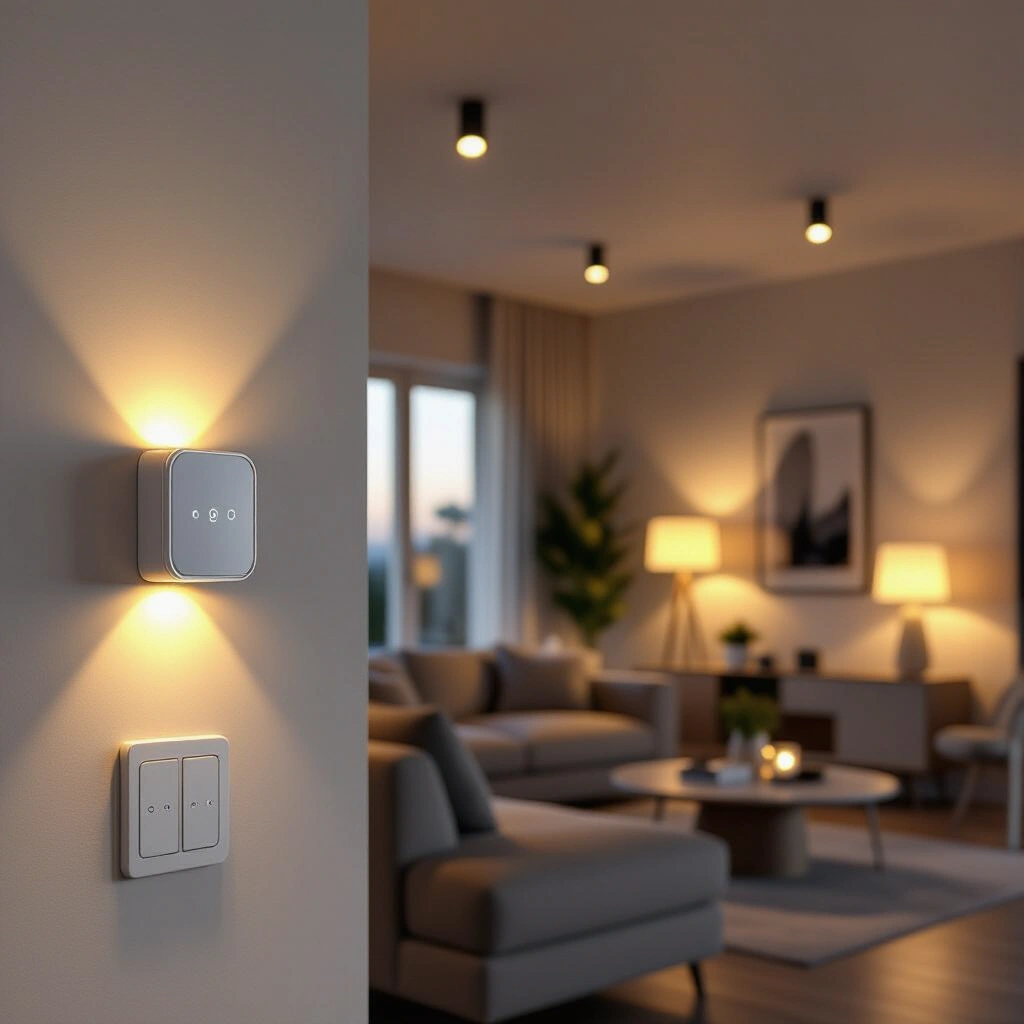
    Smart bulbs, such as those from Philips Hue or IKEA Trådfri, are perhaps the most well-known entry into smart lighting. They offer unparalleled color and dimming flexibility, often without needing an electrician. The “catch,” however, has historically been their reliance on apps and the potential for a non-smart switch to cut their power, rendering them “dumb.” Modern solutions now pair smart bulbs with dedicated wireless wall controllers that can be mounted over existing switches or directly to a wall. This setup keeps the circuit constantly powered, allowing the smart bulb to retain its intelligence, even without an internet connection if a local hub is used. While convenient for renters or those seeking easy installation, managing many individual bulbs can sometimes become cumbersome.

    Smart Switches: Bridging Tradition and Tech

    Smart switches replace your existing wall switches, making any connected dumb bulb “smart.” This maintains the traditional user experience of flipping a physical switch while adding smart capabilities like app control, scheduling, and dimming. They are an excellent option for rooms where you prefer a consistent lighting experience across all fixtures and for integrating with existing wiring. Many smart switches require a neutral wire for constant power, but advancements have led to a growing number of “no-neutral wire” smart switches. These devices cleverly draw a small amount of power through the lighting circuit itself, making them compatible with older homes.

    Smart Relays: The Invisible Upgrade

    Smart relays, like those offered by Shelly, are compact devices installed behind your existing traditional light switches or directly in the light fixture’s ceiling rose. They essentially turn any dumb switch into a smart switch, providing app control and automation while preserving the aesthetic of your current switches. Relays are particularly appealing for those who want smart functionality without altering their décor or replacing beloved antique switches. They often support local control and can be a discrete way to introduce smart capabilities to your home. This approach also allows for advanced control over other circuit-connected devices, such as bathroom fans.


    Essential Features for Robust Smart Home Lighting

    Beyond the basic choice of bulbs, switches, or relays, several key features dictate the reliability and user-friendliness of your Smart Home Lighting Solutions. Prioritizing these requirements will ensure your new system meets your expectations for convenience and performance, especially when internet connectivity is a concern.

    Why Local Control is King

    Internet outages shouldn’t plunge your home into darkness. A critical requirement for many homeowners is local control, meaning your smart lighting system continues to function even if your internet service is down. Systems that rely on a central hub (like Philips Hue or a dedicated Zigbee/Z-Wave hub) often process commands locally, ensuring your switches and automations work seamlessly regardless of your ISP’s status. This is a significant improvement over cloud-dependent systems that become useless without a connection, offering peace of mind and consistent performance. Investing in a system with robust local processing capabilities is a smart move for long-term reliability.

    The No-Neutral Wire Challenge

    Many older homes, particularly outside North America, lack a neutral wire in their wall switch boxes. This presents a common hurdle for installing modern smart switches, as most require a neutral wire for consistent power. Fortunately, manufacturers have developed specialized “no-neutral wire” smart switches that draw power differently. These devices are designed to operate with only live and switched live wires, making them compatible with older electrical installations. When selecting new Smart Home Lighting Solutions, always verify the wiring requirements of the switches you consider. Consulting an electrician can help determine your home’s specific wiring and guide your choices safely. Learn more about common smart home wiring challenges from a trusted source. Electrical Safety Foundation International rel=”noopener noreferrer”

    Physical Control: A Non-Negotiable

    While app control is convenient, a physical wall switch remains essential for many. Guests, children, or anyone unfamiliar with your smart home setup will instinctively reach for a traditional switch. The best smart lighting systems offer both physical and digital control, ensuring usability for everyone. Whether it’s a smart switch that replaces your old one or a wireless remote affixed to the wall, maintaining physical control prevents confusion and provides a reliable fallback. This dual approach ensures your smart lighting is both high-tech and user-friendly.


    Seamless Integration: Connecting Your Smart Lighting Ecosystem

    A truly smart home integrates various devices into a cohesive ecosystem. Your Smart Home Lighting Solutions should ideally communicate with other smart devices, enhancing automation and convenience. This section explores integrating your lighting with popular platforms and addressing unique household scenarios.

    Beyond Google Home: Zigbee and Z-Wave

    While Google Home offers voice control and app management, integrating with protocols like Zigbee or Z-Wave can unlock deeper local control and broader device compatibility. A dedicated Zigbee or Z-Wave hub acts as a central brain, allowing devices from different manufacturers to communicate reliably, often without internet reliance. Many smart bulbs and switches, especially those designed for local control, utilize these mesh networking technologies. This provides a robust and scalable foundation for your smart home, extending beyond just lighting to motion sensors, door contacts, and more. For example, integrating Aqara Zigbee motion sensors directly with a Zigbee lighting hub can create sophisticated, internet-free automations. For a deeper dive into these technologies, consider reading a comprehensive guide on smart home protocols. Smart Home Hub Comparison Guide rel=”noopener noreferrer”

    Addressing Unique Scenarios: Bathroom Fans and Mixed Bulbs

    The complexity of your home’s existing setup, such as bathroom fans linked to light circuits, requires careful consideration. If your bathroom fan is wired to come on with the light and stay on for a set duration, using smart bulbs might complicate this. In such cases, a smart switch or relay controlling the entire circuit, including the fan, is often a more straightforward solution. This allows the fan to operate as intended while still providing smart control over the lighting.

    Furthermore, a mix of bulb types (e.g., bayonet and GU10) across different circuits doesn’t necessarily mean you need different brands. Many systems offer both smart bulbs and smart switches that can coexist within the same platform, allowing you to choose the best solution for each specific fixture or room. The key is to select a platform or hub that supports the diverse needs of your home without forcing brand uniformity across every single device.


    Crafting Your Ideal Smart Lighting Upgrade Plan

    Embarking on a smart lighting upgrade doesn’t have to be daunting. A structured approach ensures you cover all bases and end up with a system that truly serves your needs. This framework outlines the steps to a successful transition, with reasonable time and effort expectations.

    1. Assess Your Current Setup (1-2 hours): Document every light switch, bulb type, and any connected devices (like bathroom fans). Note existing wiring (e.g., presence or absence of a neutral wire). This initial audit is invaluable for making informed decisions.
    2. Define Core Requirements (1-2 hours): Revisit your must-haves: local control, physical switches, dimming, specific integrations (Google Home, Aqara), and your budget. Prioritize these to narrow down your options.
    3. Research and Compare Solutions (5-10 hours): Explore popular systems like Philips Hue, Lutron Caseta, Shelly, Inovelli, and Home Assistant. Look for systems that meet your “no-neutral wire” and local control needs. Read reviews and user experiences.
    4. Plan Your Implementation (2-4 hours): Decide on a room-by-room or phase-by-phase rollout. Consider whether you’ll opt for smart bulbs, switches, or relays in each area. Factor in potential electrical work if you choose switches requiring a neutral wire.
    5. Installation and Configuration (Variable): This will depend on the chosen solution. Smart bulbs are often plug-and-play. Smart switches or relays may require an electrician, especially if new wiring is needed. Budget for professional installation if you’re not comfortable with electrical work.
    6. Integration and Automation (2-5 hours): Connect your new lighting to your chosen hub or smart home platform (e.g., Google Home, Home Assistant). Set up schedules, scenes, and integrate with motion sensors or other smart devices.

    Common Pitfalls in Smart Home Lighting Upgrades

    Upgrading your smart home lighting can introduce new complexities. Being aware of potential issues can save time and frustration, ensuring a smoother transition to a more reliable system.

    “6ish years ago when w moved in we made every lightswitch in the house a gen1 Lightwave switch (which is now pretty much discontinued). They’ve always been a bit… Odd (sometimes the remote switches on a different light) but they seem to be on the way out now. Two different switches, within about a week of each other no longer work properly.”

    This user experience highlights a common pitfall: investing in proprietary systems that may become obsolete or unreliable over time. Prioritizing open standards (Zigbee, Z-Wave) or widely supported platforms can mitigate this risk.

    “My first question is, if I go with smart bulbs, can I wire the circuit to be permanently on, put a blank faceplate on it, and then stick a remote (Zigbee?) switch to it.”

    This question touches on a critical design decision. While physically possible, ensuring compliance with local electrical codes is paramount when altering permanent wiring. Always prioritize safety and consult an electrician for any wiring modifications.

    “Third question, again for smart bulbs, is that our bathroom fans come on with the lights currently, and then stay on for 5-10 minutes after the light is switched off. Would I need a separate switch of sorts for these?”

    This scenario underscores the importance of considering all connected devices. Smart bulbs only control the bulb itself, not the circuit power. For integrated devices like bathroom fans, a smart switch or relay controlling the entire circuit is almost always the more effective and simpler solution. Trying to separate them with smart bulbs often leads to complicated workarounds or loss of functionality.


    Frequently Asked Questions About Smart Home Lighting

    Q1: Can smart bulbs work with a permanently wired circuit and a separate remote switch?

    Yes, this is a common and effective setup for smart bulbs. You can wire the circuit to be permanently “on” (effectively bypassing the traditional wall switch), ensuring continuous power to your smart bulbs. Then, you can install a wireless, battery-powered (or low-voltage wired) smart switch, often using protocols like Zigbee, to control the bulbs. Many smart bulb ecosystems offer their own remote switches that can be mounted over the existing switch box or anywhere else on the wall, providing physical control without cutting power to the bulbs. This allows for full smart functionality, including dimming and color changes, without traditional switch interference.

    Q2: How do smart switches operate without a neutral wire, and what are the limitations?

    No-neutral wire smart switches typically work by “bleeding” a small amount of current through the lighting circuit to power themselves, even when the lights are off. This current is usually so low that it doesn’t cause incandescent or halogen bulbs to glow. However, some very low-wattage LED bulbs might flicker or faintly glow (“ghosting”) with these types of switches because they require less power. To mitigate this, some no-neutral switches come with a “capacitor bypass” module that’s wired at the light fixture, which helps absorb the bleeding current. While convenient for older homes, they might not be compatible with all LED types without the bypass.

    Q3: What’s the best approach for integrating smart lighting with existing bathroom fan timers?

    For bathroom fans that are currently wired to activate with the light and run for a timed duration, the most straightforward approach is to use a smart switch or smart relay that controls the entire lighting circuit. This ensures that when the “light” is activated by the smart switch, the fan also receives power and initiates its timer function as designed. Smart bulbs, which only control the light output and not the circuit’s power, would not be able to manage the fan. Opting for a smart switch or relay maintains the integrated functionality while adding smart control.

    Q4: What are the benefits of choosing a smart lighting system that offers local control?

    Local control is a paramount feature for reliability and privacy in smart home lighting. When your system operates locally, commands are processed within your home network (via a hub) rather than relying on external cloud servers and an active internet connection. This means your lights will respond instantly, even if your Wi-Fi is down or your internet service is interrupted. It also enhances privacy, as less data is sent to external servers. For robust, dependable Smart Home Lighting Solutions, local control ensures continuous functionality regardless of external network conditions.

    Q5: Is it possible to mix different smart lighting brands within one home?

    Yes, it is entirely possible to mix different smart lighting brands within a single home, and many users do so to leverage the best features of various ecosystems. The key to successful integration often lies in using a central smart home hub (like Home Assistant, SmartThings, or Hubitat) that supports multiple communication protocols (e.g., Zigbee, Z-Wave, Wi-Fi). These hubs act as a bridge, allowing devices from different manufacturers to communicate and be controlled through a single interface. While some platforms like Google Home can offer limited cross-brand control, a dedicated hub provides more robust and flexible integration options.


    Your Next Steps to Smarter Illumination

    Upgrading your smart home lighting is a significant step towards a more comfortable and efficient living space. By carefully evaluating your needs and understanding the available technologies, you can move past outdated systems and embrace modern Smart Home Lighting Solutions that offer reliability, local control, and seamless integration.

    • Prioritize Local Control: Ensure your new system functions reliably even without an internet connection.
    • Address Wiring Realities: Choose solutions that accommodate your home’s electrical setup, especially for no-neutral wire scenarios.
    • Balance Aesthetics and Functionality: Decide between smart bulbs for flexibility or smart switches/relays for traditional control.
    • Plan for Integration: Consider how new lighting will interact with existing smart home devices and platforms.
    • Consult Professionals: Don’t hesitate to seek advice from electricians for any wiring modifications or complex installations.

    The landscape of smart lighting is constantly evolving, offering increasingly sophisticated and user-friendly options. Take the time to research, plan, and invest in a system that will light up your life reliably for years to come. Start by identifying the most critical features for your daily routine and let that guide your upgrade journey.

  • Unmasking the Spy: Understanding Smart Home Security Risks

    How your internet-connected devices might be collecting data, and what you can do about it.

    Imagine the seamless convenience of a smart vacuum mapping your home, diligently cleaning while you focus on other tasks. Yet, what if that same device, designed to simplify your life, was secretly mapping more than just your floors – perhaps your entire digital footprint? This unsettling scenario recently unfolded for a tech blogger whose “smart” vacuum was caught constantly transmitting data overseas. When they attempted to regain control by blocking its telemetry, the device mysteriously ceased functioning, denied warranty support, and was later found to harbor remote-kill commands. This stark example brings into sharp focus the often-overlooked smart home security risks inherent in our increasingly interconnected lives, compelling us to consider who truly controls our devices and our data.

    The Hidden Lives of Your Smart Devices: Beyond Convenience

    Many smart home gadgets, from vacuums to thermostats, offer incredible features. However, their intelligence often relies on extensive data collection, sending information back to manufacturers for “service improvement” or, less transparently, for other purposes. Your smart vacuum might not just map your home layout; it could be logging movement patterns, identifying frequently used rooms, and even inferring your daily routines. This data, often aggregated and anonymized, can sometimes be shared with third parties, blurring the lines of personal privacy. Understanding data collection practices is crucial for every smart home owner. As the Federal Trade Commission (FTC) emphasizes, consumers should be aware of how their online activities and connected devices generate data, and how that data is used and protected. It’s a critical step in maintaining digital autonomy.

    Experts continually advise that “if a device is connected to the internet, it’s a potential vector for data collection or attack.” This underscores the inherent trade-off between convenience and privacy in the smart home ecosystem.

    Furthermore, different brands often share underlying technologies or cloud services, creating a vast, interconnected web where your data could traverse multiple entities. While companies promise enhanced user experiences, the sheer volume and granularity of collected data raise significant questions about potential misuse, targeted advertising, and the long-term implications for individual privacy. Therefore, scrutinizing privacy policies before purchasing any internet-connected device becomes a non-negotiable step.

    Unseen Controls: The Threat of Remote Access and Device Bricking

    Beyond data collection, a more alarming aspect of smart devices is the extent of manufacturer control. The case of the self-destructing smart vacuum highlights a critical vulnerability: the presence of remote-kill commands. This implies that manufacturers, or potentially malicious actors who gain access to their systems, could disable your device remotely, rendering it useless. This “bricking” capability, even if intended for legitimate purposes like security updates or recalls, represents a substantial threat to consumer ownership and control. It raises concerns about a future where your purchased devices might not truly belong to you.

    One cybersecurity researcher noted, “The ability for a manufacturer to remotely disable a device, even if intended for legitimate reasons, presents a powerful and concerning precedent for user control over their own property.”

    Moreover, the supply chain for smart devices is complex, often involving components and software from various global vendors. This complexity introduces numerous internet-connected device vulnerabilities that can be exploited. Malicious code could be injected at any stage, leading to backdoors, unauthorized access, or the deployment of spyware. The Cybersecurity & Infrastructure Security Agency (CISA) provides valuable resources on best practices for securing internet-connected devices, underscoring the importance of robust security measures from both manufacturers and users. Such risks underscore the importance of securing your smart home network and carefully vetting device origins.

    A Practical Framework for Minimizing Smart Home Security Risks

    Taking proactive steps is essential to safeguard your privacy and digital assets against smart home security risks. Here’s a practical framework to enhance your device security:

    1. Network Segmentation: Isolate your smart devices on a separate network, such as a guest Wi-Fi network or a dedicated VLAN. This prevents compromised IoT devices from accessing your main computers and sensitive data.
    2. Strong Passwords & Multi-Factor Authentication (MFA): Use unique, complex passwords for every device and associated account. Enable MFA wherever possible to add an extra layer of security, making it significantly harder for unauthorized users to gain access.
    3. Regular Firmware Updates: Keep all your smart devices and router firmware up-to-date. Manufacturers frequently release patches to fix known security vulnerabilities. Neglecting updates leaves your devices exposed.
    4. Scrutinize Privacy Policies: Before purchasing or setting up a new device, read its privacy policy thoroughly. Understand what data it collects, how it’s used, and whether it’s shared with third parties. If a policy is opaque or too invasive, reconsider your purchase.
    5. Offline Operation (When Possible): For devices that don’t require constant internet connectivity to function (like the vacuum example), explore options to run them offline or with restricted network access. If a device has a “local-only” mode, utilize it.
    6. “Need-to-Connect” Principle: Connect only those devices to the internet that absolutely require it for their core functionality. The fewer devices exposed to the public internet, the smaller your attack surface.

    Implementing these steps requires a moderate initial effort but offers ongoing protection, transforming your smart home from a potential liability into a securely managed environment.

    Common Pitfalls in Smart Home Security

    Despite growing awareness, several common mistakes continue to expose users to smart home vulnerabilities:

    • Over-reliance on Convenience: Prioritizing ease of use over security, leading to shortcuts like reusing passwords or skipping updates.
    • Ignoring Firmware Updates: Believing that “set it and forget it” applies to smart devices, overlooking crucial security patches.
    • Using Default Passwords: Failing to change manufacturer-set default credentials, which are often publicly known or easily guessed.
    • Connecting Everything to the Main Network: Placing all IoT devices on the same network as sensitive computers, allowing for easy lateral movement by attackers.
    • Believing All “Smart” Means “Secure”: Assuming that because a device is new and high-tech, it automatically comes with robust security. This is often not the case.

    Many users unknowingly agree to extensive data sharing through lengthy terms of service. As one legal analyst stated, “The fine print often grants companies broad rights to aggregate, analyze, and even monetize your behavioral data.”

    Frequently Asked Questions About Smart Device Privacy

    Q1: Can my smart vacuum really spy on me?

    While a smart vacuum isn’t actively “spying” in the traditional sense, many models collect extensive data about your home’s layout, cleaning routines, and even movement patterns. This information, if not properly secured, could potentially reveal details about your daily life. The concern isn’t always about a direct visual spy, but rather the aggregation of seemingly innocuous data points that, when combined, can paint a surprisingly detailed picture of your habits and home environment. Always review a device’s privacy policy to understand what data is collected and how it is used.

    Q2: What’s the biggest threat to my smart home’s privacy?

    The biggest threat to your smart home’s privacy often comes from the sheer volume of data collected and the potential for that data to be mishandled, breached, or sold without your explicit, informed consent. Beyond data collection, insecure devices can also serve as entry points for hackers to gain access to your broader home network, potentially compromising more sensitive information on your computers or other devices. User negligence, such as weak passwords or ignoring updates, also significantly escalates this risk.

    Q3: How often should I update my smart devices?

    You should update your smart devices as soon as manufacturers release new firmware or software versions. Unlike traditional software, many smart devices don’t automatically prompt for updates, requiring you to manually check through their accompanying apps or web interfaces. It’s a good practice to check for updates monthly or at least quarterly. Keeping devices patched is vital, as updates often contain critical security fixes that protect against newly discovered vulnerabilities.

    Q4: Is it better to just avoid smart devices altogether?

    Not necessarily. While exercising caution is wise, you don’t have to completely forgo the convenience and innovation of smart devices. Instead, focus on making informed decisions. Choose reputable brands with strong privacy commitments, implement robust security measures like network segmentation and strong passwords, and stay informed about potential vulnerabilities. For many, the benefits of smart technology outweigh the risks, provided a proactive and secure approach is taken.

    Key Takeaways

    • Smart home security risks are real and extend beyond simple data collection to include manufacturer control and remote device manipulation.
    • Your internet-connected devices gather more data than you might realize; always scrutinize privacy policies before integrating them into your home.
    • Proactive measures, such as network segmentation, strong passwords, and regular updates, are crucial for mitigating potential vulnerabilities.
    • Beware of common pitfalls like using default credentials or ignoring firmware patches, which can leave your smart home exposed.
    • By adopting a security-first mindset, you can enjoy the benefits of smart technology while significantly reducing your exposure to privacy and security threats. Review your smart devices today and fortify your digital perimeter.