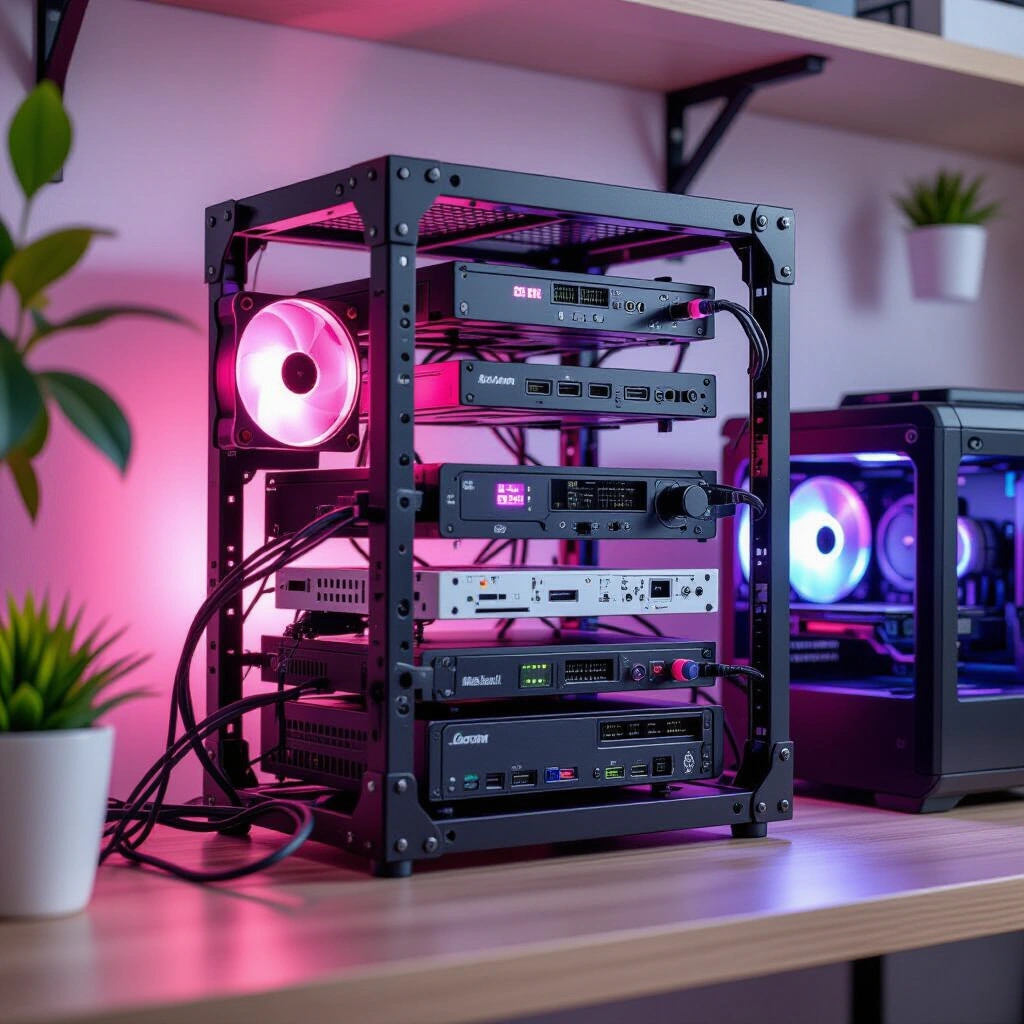
Embrace the DIY spirit and infuse personality into your tech space with compact server racks and 3D printed components.
Custom Home Lab Racks: Build Your Personalized 10-Inch Setup
Embrace the DIY spirit and infuse personality into your tech space with compact server racks and 3D printed components.
The digital world often demands a physical presence, leading many enthusiasts to build a home lab. Yet, the traditional image of a server rack can conjure thoughts of bulky, industrial equipment taking up significant space. What if you could blend powerful computing with a personalized, compact design? This guide explores the exciting world of custom home lab racks, focusing on 10-inch setups that combine efficiency, aesthetics, and the satisfaction of DIY. We’ll delve into how to construct a robust home lab, from processing power to storage, all while injecting your unique style, perhaps even with a splash of unexpected color like pink.
The Allure of 10-Inch Server Rack Setups
For many home lab enthusiasts, space is a premium. This is where the appeal of 10-inch server racks truly shines. Unlike their larger 19-inch counterparts, 10-inch racks offer a compact footprint, making them ideal for offices, closets, or even under desks. They provide a structured way to organize mini PCs, network switches, and other components without sacrificing functionality. Moreover, this modularity allows for tidy cable management and efficient airflow, crucial for keeping your gear running smoothly.
A brilliant example of community-driven design in this space is the “LabRax” system, conceptualized by YouTuber Michael Klements’ YouTube channel. His innovative designs provide a foundation for building custom, compact setups using readily available 3D printing technology. Before you dive in, consider your available space and the number of devices you plan to house. A well-thought-out plan ensures your 10-inch rack meets both your current and future needs, preventing clutter and optimizing performance. Choosing the right rack size upfront is a critical first step in any compact home lab endeavor.
Building Your Compute Core: Powering Your Home Lab
At the heart of any powerful home lab lies its compute infrastructure. Many enthusiasts opt for a blend of dedicated servers and versatile workstations. For instance, a common approach involves a multi-node Proxmox cluster, often utilizing energy-efficient mini PCs. These compact machines can host virtual machines and containers, managing everything from media servers to development environments. For more demanding tasks, a dedicated workstation, such as an ITX build with a potent GPU, can serve as a powerful editing rig, accessible remotely for maximum flexibility.
Real-World Scenario: Resource Allocation
One enthusiast shared their setup: “My 3-node Proxmox cluster uses Intel i5-6500T CPUs, efficient for virtualization. Alongside, an Asrock B850i ITX board with an AMD Ryzen 7 7700 and an NVIDIA 4060Ti serves as my Windows 11 editing station. This hybrid approach lets me manage shared services and also have a dedicated powerhouse for creative work, which I often remote into from my laptop.” This demonstrates how balancing dedicated resources with virtualized services can optimize performance and access.
When selecting components, consider your primary use cases. High-performance tasks like video editing might warrant a powerful CPU and GPU, while virtualization often benefits from more cores and RAM. Balancing performance needs with power consumption is key, especially for a lab running 24/7. Ultimately, the goal is to create a core that efficiently supports all your digital endeavors.
Networking & Storage: The Backbone of Your Custom Lab
A robust network and reliable storage are non-negotiable for any home lab. A high-performance router, like the Glinet Flint 2, serves as the gateway to your network, while a combination of 1Gb and 2.5Gb unmanaged switches can handle local traffic distribution. However, the real innovation often lies in creative storage solutions. Consider a compact, yet powerful, Network Attached Storage (NAS) built around a Raspberry Pi. With a RAIDZ1 configuration, you can achieve data redundancy, protecting against single drive failure.
Connecting these drives and even the Raspberry Pi itself via 2.5 Gigabit USB3 to Ethernet adapters can significantly boost data transfer speeds, making it competitive with more expensive, off-the-shelf NAS solutions. Many mini PCs also benefit from these adapters, allowing 2.5G networking for data, while reserving the onboard 1G port for management or redundancy. This approach can turn humble hardware into a high-performance storage workhorse. For a deeper dive into ZFS and RAIDZ configurations, external resources like the OpenZFS documentation provide comprehensive details on implementation and best practices.
Real-World Scenario: Maximizing Network Throughput
“I’m using a Glinet Flint 2 router, and while my switches are basic 1Gb and 2.5Gb unmanaged units for now, the secret sauce is in the UGREEN 2.5Gb USB3 to Ethernet adapters. All my mini PCs and my 24TB RAIDZ1 Raspberry Pi NAS leverage these. It means I get 2.5G speeds for data transfer across the lab, with the built-in 1G ports acting as management interfaces or for failover. It’s an incredibly cost-effective way to get higher bandwidth where it matters.” This highlights the clever integration of affordable adapters to overcome hardware limitations.
Thoughtful planning of your network topology, including IP addressing and switch capacity, ensures smooth operation as your lab expands. Moreover, efficient storage is crucial for data integrity and accessibility.
The DIY Edge: 3D Printing for Home Lab Customization
One of the most exciting aspects of building custom home lab racks is the ability to leverage 3D printing for truly personalized and functional components. The open-source community provides a vast library of designs, meaning you rarely need to start from scratch. Websites like MakerWorld host countless STL files for various mounts, enclosures, and accessories, allowing you to find or adapt designs for your specific hardware, from ITX mounts to custom Raspberry Pi cases.
The beauty of 3D printing extends beyond mere functionality; it allows for aesthetic customization. Imagine integrating your personality into your tech space with unique color schemes. For instance, adding pink accents—whether through rack panels, cable ties, or custom-printed bezels—can transform a purely utilitarian setup into something visually engaging and uniquely “yours.” This blend of practical engineering and personal expression is a hallmark of the DIY home lab movement. Embracing these resources not only saves time but also fosters a sense of community and shared innovation among enthusiasts. For further reading on compact server hardware and general setup tips, you might consult a comprehensive Home Lab Best Practices Guide.
Navigating Common Pitfalls in Custom Home Lab Builds
Even the most well-intentioned custom home lab projects can encounter challenges. Being aware of common pitfalls can save you significant time and frustration.
Overlooking Power Requirements
One frequent oversight is underestimating the total power draw of your components. Ensure your power supply units (PSUs) are adequately sized for peak loads, and always use high-quality power strips or uninterruptible power supplies (UPS) to protect your gear. Proper cable management, beyond just aesthetics, also contributes to safety and efficient cooling by preventing obstructed airflow.
Underestimating Cooling Needs
Compact racks can quickly become hotboxes if not properly ventilated. Pay close attention to airflow paths, fan placement, and the thermal design of your enclosures. Even energy-efficient mini PCs generate heat, and effective cooling is paramount for component longevity and stable performance. Therefore, proactive cooling strategies are vital.
Neglecting Network Planning
A haphazard network setup can lead to bottlenecks and connectivity issues. Plan your IP addressing scheme, VLANs (if used), and ensure your switches have sufficient port density and throughput for your anticipated traffic. Understanding the capabilities of your router and switches is crucial for a scalable and reliable home lab. Consequently, a robust network foundation supports future expansion.
Real-World Scenario: Learning from Unexpected Challenges
“I’ve questioned some of my own design choices, wondering if they were practical or even made sense. But that’s the real beauty of the home lab and DIY world; it’s a journey of experimentation and learning. Every challenge, like discovering a thermal bottleneck or an obscure network configuration issue, is an opportunity to deepen my understanding.” This reflection emphasizes the iterative and educational nature of home lab building, highlighting that setbacks are part of the learning process.
Your Step-by-Step Framework for a Personalized Home Lab
Embarking on a custom home lab journey can seem daunting, but breaking it down into manageable steps makes it accessible for anyone.
- Define Your Needs: Begin by clearly outlining the purpose of your home lab. What services will it host? What applications will you run? This foundational step guides all subsequent decisions. (Time expectation: 1-2 hours)
- Plan Your Layout: Sketch out your ideal rack configuration. Consider component dimensions, cable routing, and desired aesthetics. Decide on your primary rack size (e.g., 10-inch) and how components will be mounted. (Time expectation: 2-4 hours, with sketching and measurement)
-
Source Components: Gather your hardware, including mini PCs, networking gear, storage drives, and 3D printing filament if you’re making custom parts. Explore both new and used markets for cost-effective solutions. (Time expectation: Ongoing research and procurement)
-
Assemble & Integrate: Install your hardware into the rack, ensuring secure mounting and proper cable management. Configure your operating systems (e.g., Proxmox, Ubuntu Server, Windows) and initial network settings. (Time expectation: Days to weeks, depending on complexity and experience)
-
Test & Optimize: Once assembled, rigorously test your lab’s performance. Monitor temperatures, network speeds, and service stability. Fine-tune settings for optimal efficiency and reliability. (Time expectation: Ongoing as new services are added or configurations changed)
-
Personalize & Refine: This is where you infuse your unique style. Add custom-printed panels, color-coded cables, or other aesthetic touches like pink accents. Continuous refinement ensures your lab evolves with your needs and preferences. (Time expectation: As desired, an ongoing creative process)
Frequently Asked Questions About Custom Home Labs
Q1: Why choose a 10-inch rack over a standard 19-inch rack for a home lab?
A 10-inch rack is significantly more compact than a standard 19-inch rack, making it ideal for home environments where space is often limited. They are perfect for organizing mini PCs, compact network switches, and custom 3D-printed components. While offering less overall capacity, they provide excellent organization and aesthetics for smaller-scale home labs, allowing for a neat and efficient setup without dominating a room.
Q2: Can I really build a powerful server with mini PCs and 3D printed parts?
Absolutely! Modern mini PCs offer impressive processing power and energy efficiency, making them excellent candidates for virtualization hosts or dedicated application servers in a home lab. When combined with custom 3D-printed mounts and enclosures, you can create highly optimized and compact server solutions tailored to your exact hardware and aesthetic preferences, proving that powerful doesn’t always mean massive.
Q3: What are the benefits of a Raspberry Pi NAS with RAIDZ1?
A Raspberry Pi NAS, especially when configured with RAIDZ1, offers an incredibly cost-effective and flexible storage solution for a home lab. RAIDZ1 provides data redundancy, meaning your data is protected even if one drive fails. The Raspberry Pi’s low power consumption makes it an ideal 24/7 file server, and with 2.5 Gigabit Ethernet adapters, it can achieve surprisingly fast network speeds, making it a compelling alternative to more expensive commercial NAS units.
Q4: How do I find 3D printable designs for my home lab components?
The open-source hardware community is a fantastic resource. Websites like MakerWorld are treasure troves of STL files for various home lab components, including rack mounts, mini PC enclosures, and custom brackets. Many designs are shared under open licenses, allowing you to download, print, and even modify them. A quick search for “10-inch rack mount” or specific device names often yields excellent results.
Q5: How can I integrate aesthetics like “pink accents” into a functional setup?
Integrating personalized aesthetics, like “pink accents,” into a functional home lab is easier than you might think! You can use custom 3D-printed components in pink filament, such as rack blanks, cable guides, or decorative bezels. Pink-colored cables, cable ties, or even LED lighting can also add a vibrant touch without compromising functionality. The key is to blend these elements thoughtfully for a cohesive and visually appealing custom setup.
Key Takeaways
- Custom home lab racks provide a flexible and efficient way to manage your personal tech infrastructure, especially with compact 10-inch setups.
- Leveraging mini PCs for compute and creative solutions like Raspberry Pi NAS drives can build a powerful lab on a budget.
- 3D printing is a game-changer for home lab customization, allowing for bespoke mounts, enclosures, and aesthetic personalization.
- Thorough planning, from power and cooling to networking, is crucial to avoid common pitfalls and ensure a stable, reliable system.
- The open-source community is an invaluable resource for designs, inspiration, and support, fostering a culture of innovation and sharing.
Embrace the journey of building and refining your own unique tech sanctuary. The beauty of the home lab and DIY world lies in its endless possibilities for learning, experimentation, and personal expression. Share your creations, learn from others, and continue to explore new ways to make your digital world truly your own.