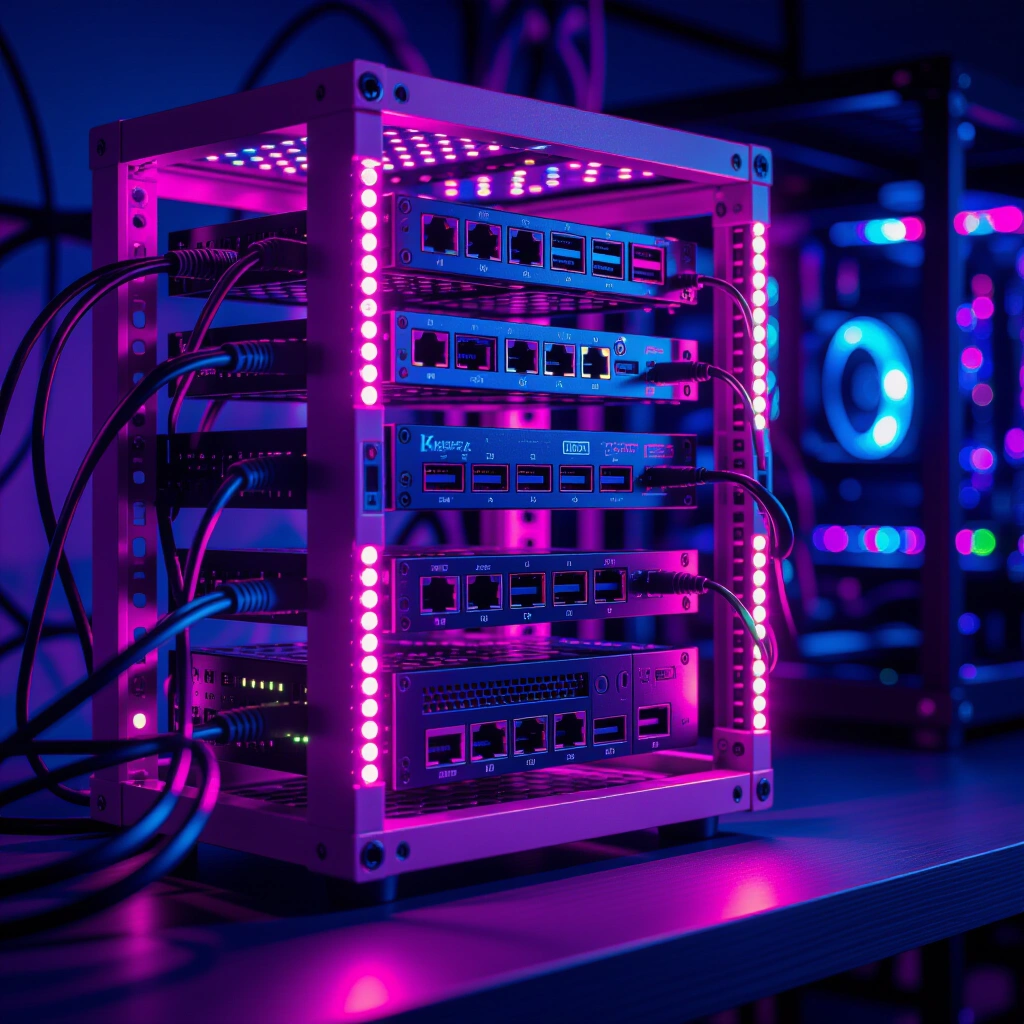
Discover the benefits of small form factor servers and DIY solutions for ultimate home lab efficiency.
In the world of home labs, space and efficiency are often at a premium. While traditional 19-inch server racks dominate data centers, a growing community of enthusiasts is discovering the immense potential of the 10-inch homelab rack. These compact powerhouses offer a unique blend of customizability, space-saving design, and surprisingly robust performance, making them ideal for personal projects, media servers, and even development environments. This guide dives into how embracing a smaller form factor can revolutionize your home lab, highlighting innovative approaches and practical solutions for maximizing every inch.
Building a home lab is more than just stacking equipment; it is about creating a personalized ecosystem that meets specific needs while optimizing for power, noise, and footprint. For many, the challenge lies in achieving enterprise-like functionality without the associated bulk or cost. The 10-inch homelab rack provides an elegant answer, enabling a clean, organized, and remarkably powerful setup in even the most constrained environments. We will explore how to harness the potential of these smaller racks, from innovative hardware choices to clever networking and storage solutions, all designed to enhance your digital workspace.
The Allure of the 10-inch Homelab Rack
The appeal of a smaller server rack system is immediately apparent when space is limited. Unlike their larger counterparts, 10-inch racks can fit into a closet, on a desk, or even tucked away discreetly. This compact size doesn’t necessarily mean sacrificing power or functionality. Instead, it encourages creativity and efficient use of resources. Many enthusiasts are leveraging mini PCs, single-board computers, and custom 3D-printed mounts to populate these smaller enclosures, crafting highly personalized and efficient systems.
One significant innovation driving the popularity of compact homelabs is the widespread availability of open-source designs. The LabRax system, pioneered by YouTuber Michael Klements, exemplifies this movement, offering a modular and easily printable framework for 10-inch rack components. These designs empower individuals to customize their setups precisely, from mounting brackets for ITX motherboards to specialized trays for routers and power supplies. The ability to 3D print components not only reduces costs but also fosters a vibrant community of makers sharing and improving designs. Integrating these custom elements allows for a truly unique and perfectly fitted hardware environment, transforming what might be a jumble of devices into an organized, aesthetically pleasing server array. For inspiration and designs, platforms like MakerWorld provide a wealth of community-contributed STLs that can bring your compact vision to life.
Building a Robust Compute Cluster in a Small Footprint
Even with limited space, it is entirely possible to build a powerful and versatile compute cluster. A prime example involves a 3-node Proxmox cluster, utilizing efficient Intel processors such as the 6500t series. This setup provides a solid foundation for virtualization, allowing you to run multiple virtual machines and containers for various services, from media servers to development environments, all within the confines of a 10-inch homelab rack. Proxmox offers a robust, open-source platform for managing virtualized resources, making it a popular choice for home lab enthusiasts seeking flexibility and control.
Beyond virtualization, a compact setup can also house a dedicated workstation. Imagine an ITX build featuring an AMD Ryzen 7 7700 processor and an Nvidia 4060ti GPU, all neatly integrated. This machine, running Windows 11, can serve as a powerful editing rig that you can access remotely. This approach is particularly beneficial for those who need significant compute power for specific tasks but prefer to keep their primary workspace clutter-free. By remoting into the powerful system from a laptop, you gain the flexibility to work from anywhere while leveraging the dedicated hardware for demanding applications like video editing or 3D rendering. The efficiency of modern hardware, combined with smart remote access solutions, allows for a powerful experience without a large physical footprint.
Networking and Storage: Smart Solutions for Compact Spaces
Effective networking and storage are crucial for any homelab, regardless of size. In a compact 10-inch homelab rack setup, innovative solutions become even more critical. High-speed networking is achievable even with budget-conscious choices. For instance, a capable router like the Glinet Flint 2 can form the backbone of your network, offering advanced features in a small package. For local connectivity, a mix of affordable 1 Gigabit and 2.5 Gigabit unmanaged switches can handle most needs, providing ample bandwidth for data transfer within your lab. The key is to strategically place switches and use compact power supplies, often mounted creatively within the rack itself to save space.
Storage is another area where ingenuity shines. A Raspberry Pi-based Network Attached Storage (NAS) system, featuring a substantial 24TB RAIDZ1 array, offers a compelling, power-efficient solution. Running Ubuntu Server and configured with Samba/NFS, this setup provides reliable, accessible storage for all your data. A unique aspect of such a system is the use of 2.5 Gigabit USB 3 to Ethernet adapters, which allows the Raspberry Pi to achieve speeds beyond its built-in Gigabit Ethernet port. This clever use of adapters also extends to mini PCs within the homelab, enabling 2.5 Gigabit connectivity for high-speed data transfers while reserving the integrated 1 Gigabit ports for management or redundancy. For a deeper understanding of RAIDZ1 configurations and their benefits for data integrity, consult reliable resources on ZFS file systems. These solutions prove that high capacity and fast access are not exclusive to enterprise-grade equipment.
E-E-A-T Scenarios: Real-World Homelab Benefits
“Setting up my Windows 11 editing rig in the 10-inch rack and remoting in from my laptop at work has been a game-changer. I get all the horsepower of the Ryzen 7 and RTX 4060ti without lugging a heavy machine around. It’s truly amazing how efficient a compact setup can be when thoughtfully planned.”
“My 24TB Raspberry Pi NAS, using those 2.5Gb USB adapters, has proven incredibly robust for my media library. I was initially skeptical, but the RAIDZ1 configuration gives me peace of mind, and the performance is more than adequate for streaming and backups. It’s a testament to how far open-source software and affordable hardware have come.”
“The availability of 3D-printed designs on MakerWorld for my 10-inch rack components meant I didn’t have to be a CAD expert to build a custom solution. The community contributions are invaluable, saving countless hours and making it possible for anyone to create a perfectly fitted homelab setup.”
Step-by-Step Framework: Crafting Your Own 10-inch Homelab
Building a compact homelab is an exciting journey of customization and efficiency. Here’s a framework to guide your project, with each step designed to maximize your small form factor setup:
- Plan Your Components and Services (Time: 2-4 hours, Effort: Medium): Before buying anything, decide what you want your homelab to do. Will it be a virtualization server, a media hub, a development environment, or all of the above? List your desired services and the hardware required for each. This planning phase is crucial for avoiding unnecessary purchases and ensuring compatibility within a limited space.
- Source Your 10-inch Rack (Time: 1-2 hours, Effort: Low): Research available 10-inch rack solutions. Consider popular designs like LabRax by Michael Klements, which often feature 3D-printable components for ultimate flexibility. If you have access to a 3D printer, this can significantly reduce costs and allow for bespoke customization. Look for sturdy designs that can support the weight of your chosen hardware.
- Embrace 3D Printing for Custom Mounts (Time: Varies, Effort: Medium-High): This is where the magic of a compact homelab truly shines. Utilize community-designed STLs from platforms like MakerWorld for mounting mini PCs, ITX motherboards, routers, and power supplies. Custom brackets ensure everything fits snugly and securely, making the most of your limited rack space. Don’t be afraid to experiment with different designs or even learn basic CAD for minor modifications.
- Optimize Networking (Time: 1-3 hours, Effort: Medium): Select compact switches and routers that fit within your 10-inch rack. Consider using 2.5 Gigabit USB 3 to Ethernet adapters for devices that lack built-in high-speed ports. Plan your cable runs carefully, using short, color-coded cables to maintain organization and airflow. Efficient cabling is paramount in a confined space.
-
Configure Storage Solutions (Time: 2-6 hours, Effort: High): Decide on your storage strategy. A Raspberry Pi NAS with a RAIDZ1 array is an excellent power-efficient and scalable option. Alternatively, integrate small form factor SSDs or HDDs directly into your compute nodes. Ensure your chosen storage solution provides adequate capacity and redundancy for your critical data. For robust data integrity, understanding ZFS and its RAIDZ configurations is highly recommended. Learn more about ZFS and RAIDZ1 configurations.
-
Power Management and Cable Routing (Time: 1-2 hours, Effort: Medium): Compact power supplies are key. If possible, use external power bricks or small, modular PSUs that can be mounted creatively. Route all power and data cables cleanly to prevent clutter and ensure proper airflow. This attention to detail will greatly enhance the longevity and stability of your homelab.
Common Pitfalls in Compact Homelab Design
While designing a compact homelab offers many advantages, it also presents unique challenges. Being aware of these common pitfalls can help you build a more robust and reliable system:
- Thermal Management Overlook: Small spaces naturally lead to higher heat density. Failing to plan for adequate ventilation and cooling can lead to overheating and reduced component lifespan. Ensure proper airflow paths and consider small, quiet fans where necessary.
- Underestimating Power Requirements: Although components might be small, cumulative power draw can be significant. Always calculate your total power needs and select a power supply with sufficient headroom. Overloading a power supply is a recipe for instability.
- Cable Clutter and Disorganization: In a 10-inch rack, every millimeter counts. Poor cable management quickly leads to airflow obstruction, difficulty troubleshooting, and an unappealing aesthetic. Invest in shorter cables and routing solutions.
- Over-reliance on Niche Solutions: While innovative, some niche hardware or software solutions might lack robust community support or long-term stability. Balance innovation with proven reliability, especially for critical services. Always check community forums and documentation before committing to highly specialized components.
Frequently Asked Questions About Compact Homelabs
Q1: Why choose a 10-inch rack over a standard 19-inch?
A 10-inch homelab rack is ideal for users with limited space, such as apartments, small offices, or even those preferring a less obtrusive setup. They encourage the use of compact, power-efficient hardware like mini PCs and single-board computers, which often translates to lower energy consumption and quieter operation. While 19-inch racks offer more room for traditional server hardware, the 10-inch format fosters creativity in maximizing space and often benefits from a lower initial cost for the rack itself. It’s a perfect choice for personal projects where enterprise-scale expansion isn’t the primary goal, but efficiency and a tidy footprint are.
Q2: Are Raspberry Pi NAS solutions reliable for critical data?
Raspberry Pi NAS solutions can be reliable for critical data, especially when implemented with data integrity features like RAIDZ1 (a ZFS RAID configuration) and regular backups. While a Raspberry Pi doesn’t offer the raw performance or enterprise-grade reliability of a dedicated NAS appliance or server, its low power consumption and affordability make it an excellent choice for home use. For truly critical data, combining a robust software RAID setup with an off-site backup strategy is always recommended, regardless of the hardware. The use of robust file systems like ZFS significantly enhances data protection in these DIY setups.
Q3: How do you manage heat in such a compact setup?
Managing heat in a compact 10-inch homelab rack requires careful planning. Key strategies include selecting low-TDP (Thermal Design Power) components like Intel’s T-series processors or ARM-based single-board computers. Proper airflow is essential; ensure that equipment is not tightly packed, and consider passive cooling solutions where possible. Small, quiet fans can be strategically placed to create airflow, either pulling cool air in or pushing hot air out. Using 3D-printed mounts that allow for ventilation and avoiding blocked vents are also critical. Monitoring component temperatures regularly helps identify and address potential hotspots before they become an issue.
Q4: What are the benefits of 2.5Gb networking for a homelab?
2.5 Gigabit (2.5GbE) networking offers a significant performance upgrade over standard 1 Gigabit Ethernet, providing 2.5 times the bandwidth. For a homelab, this means faster file transfers between servers and workstations, quicker backups to a NAS, and smoother streaming of high-resolution media. It bridges the gap between 1GbE and 10GbE, offering a cost-effective performance boost without the expense or power consumption of full 10GbE infrastructure. This improved speed is particularly beneficial for tasks involving large datasets, virtual machine migration, or multiple users accessing network resources simultaneously, enhancing overall homelab responsiveness and efficiency.
Key Takeaways
- The 10-inch homelab rack provides a powerful, space-saving solution for enthusiasts to build custom, efficient home server setups.
- Leverage 3D-printed designs, such as the LabRax system, to create highly customized and organized hardware environments.
- Innovative hardware choices like Proxmox clusters, compact PCs, and Raspberry Pi NAS devices can deliver robust performance in a small footprint.
- Effective networking with 2.5 Gigabit speeds and smart cable management are crucial for optimal performance and thermal control.
- Planning for cooling, power, and organization will help avoid common pitfalls and ensure a reliable, high-performance compact homelab.
Embracing the compact homelab philosophy empowers you to craft a powerful digital ecosystem tailored to your exact needs without demanding excessive space or resources. Start planning your custom 10-inch homelab rack today and unlock a new level of efficiency and control in your personal computing journey.